FIFAWC Scores
A free, native macOS menu bar app for FIFA World Cup 2026 — live scores, schedules, and goal animations. Dark glass panels, orange brand accent, zero bloat.
macOS 14 Sonoma or later · Universal (Apple Silicon & Intel) · Free & open source
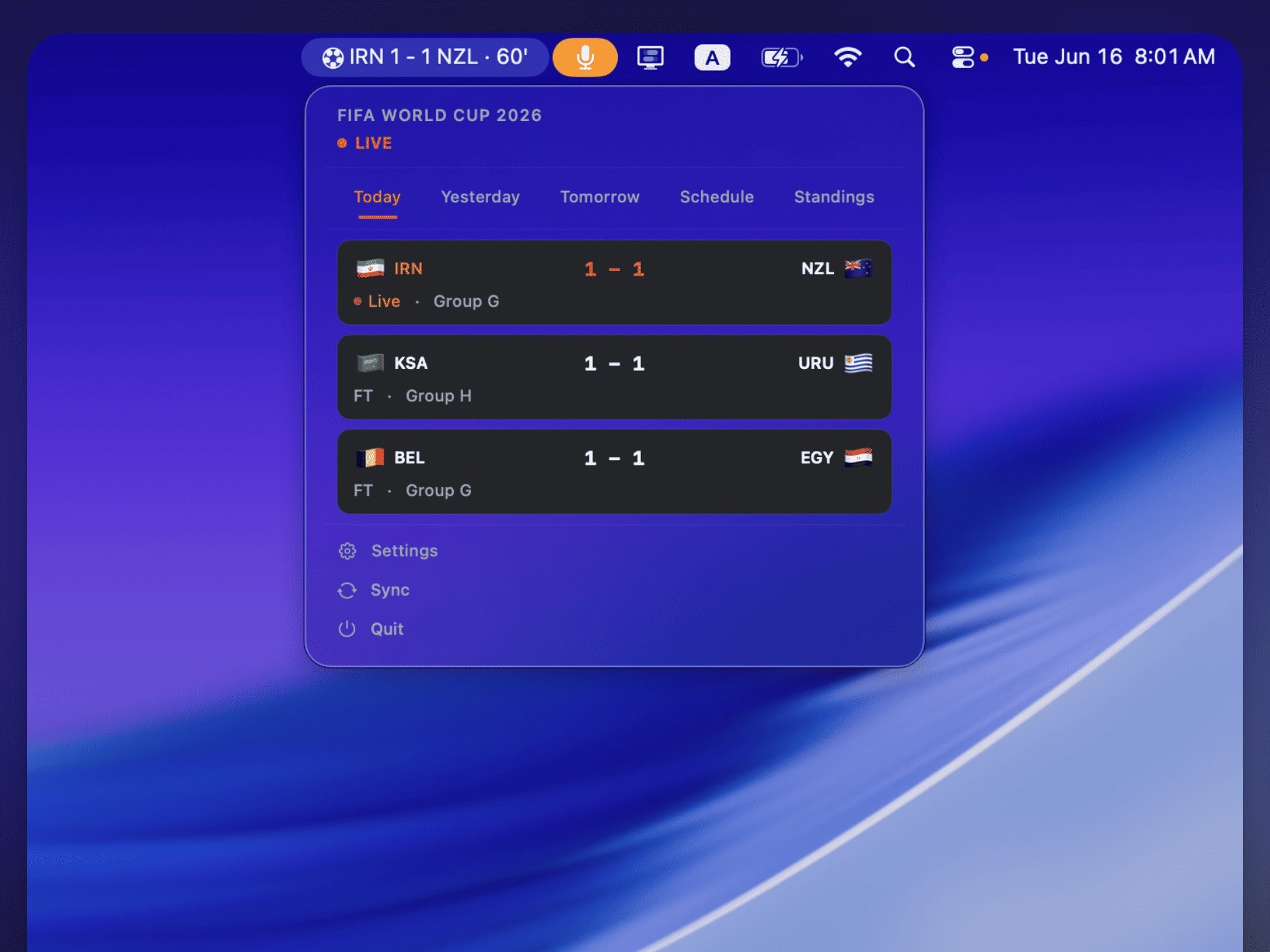
Dark glass panels with orange brand accent — live scores, standings, and settings in one compact view


Menu bar label — live score with team highlights · GOAL! alert flashes for 5 seconds
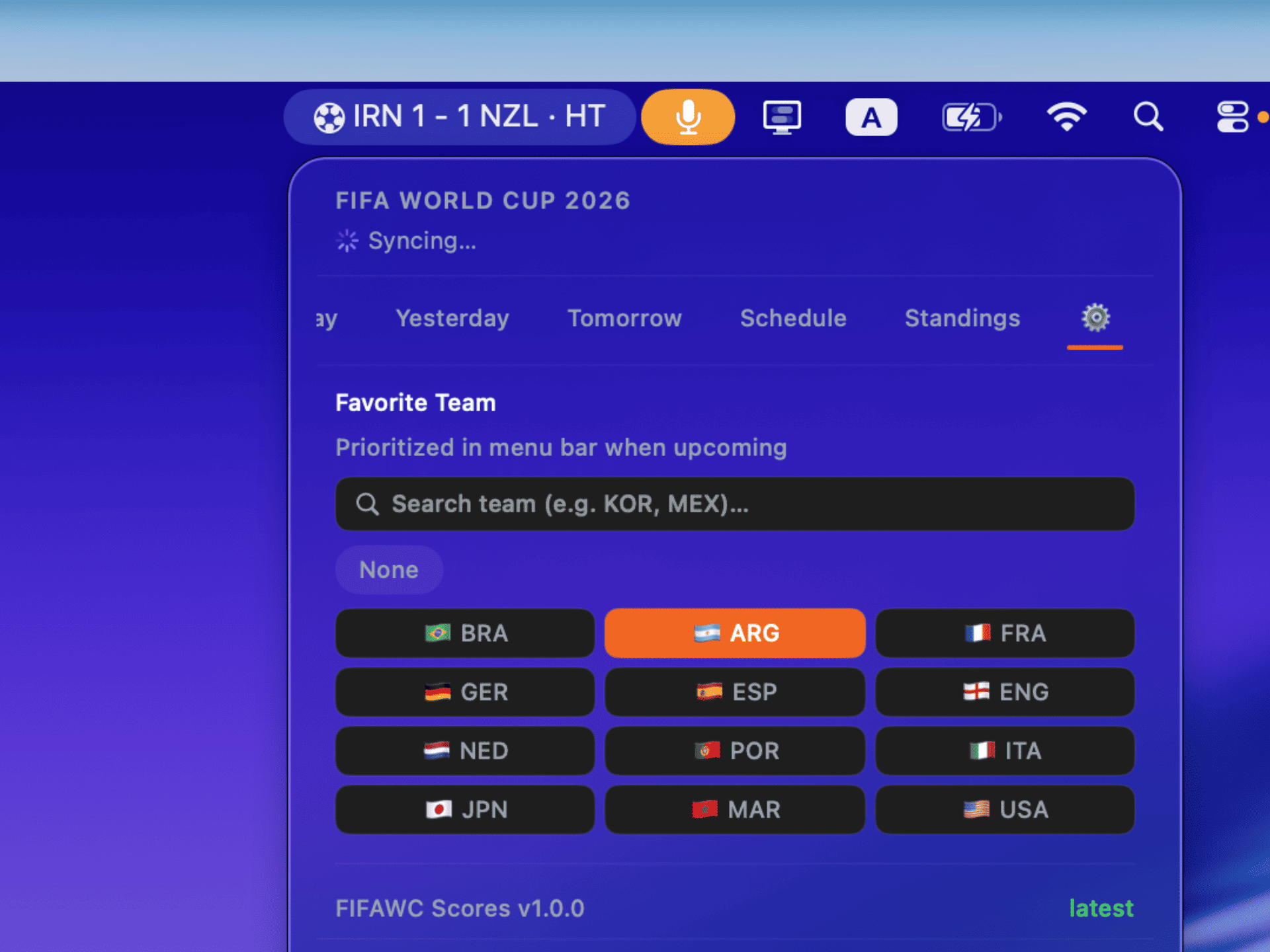
Settings — API key, poll interval, favorite team picker with 12 popular nations + search
Features
Dynamic menu bar label
5 states — Idle, Upcoming, Live (with minute counter), Half-time, and Finished — always visible without clicking. No Dock icon, no main window.
6 tabbed views
Today, Yesterday, Tomorrow, Full Schedule, Standings, and Settings — everything organized in one compact dark glass panel.
GOAL! alert
The menu bar label flips to "GOAL!" for 5 seconds when a goal is scored, then auto-reverts to the live score.
Favorite team
Pin your team to the top of Today's tab with an orange glow highlight. Schedule tab filters to show only your team's matches.
Dynamic team colors
Match cards are tinted with team colors. 48 World Cup nations covered. Orange TRIONDA brand accent throughout.
Smart polling
Configurable 60–300s interval with a live/idle state machine that minimizes API usage.
Auto-update
Sparkle checks GitHub Releases for new versions. Download, verify, and restart — all automatic.
Lightweight
Native SwiftUI, <20 MB RAM, <1% CPU. One dependency (Sparkle). No Electron, no bloat.
Get your API key
FIFAWC Scores fetches live data from football-data.org. You need a free API key:
- Go to football-data.org/client/register and create a free account
- Copy your API key from the dashboard
- Open FIFAWC Scores → click the ⚙️ Settings tab → paste your key
First launch (unsigned build). macOS may
show "FIFAWC Scores" Not Opened and block the app.
Go to
System Settings → Privacy & Security
and click Open Anyway. (Or run
xattr -dr com.apple.quarantine "/Applications/FIFAWC
                        Scores.app"
in Terminal.)
Install (build from source)
# Clone
git clone https://github.com/shafiswapnil/fifawc-scores.git
cd fifawc-scores

# Install XcodeGen (if needed)
brew install xcodegen

# Generate Xcode project & open
xcodegen generate
open FIFAWCSCORES.xcodeproj
Press ⌘R to build and run. The app appears in your menu bar.
Frequently asked questions
Is FIFAWC Scores free?
Yes — completely free and open source under the MIT license. No subscription, no ads, no account, no tracking.
Do I need an API key?
Yes. The free tier at football-data.org (10 requests/min) is more than enough. Sign up, copy the key, and paste it in the ⚙️ Settings tab.
Does it show live scores?
Yes. During matches, the app polls at a configurable interval (60–300s) and shows live scores, match status, and goal animations.
Does it respect my privacy?
Yes. All data is fetched from football-data.org's public API. There is no tracking, no telemetry, and no ads. Your API key is stored locally in UserDefaults.